SSPR is dropping support for directory-sourced contact details in September 2026
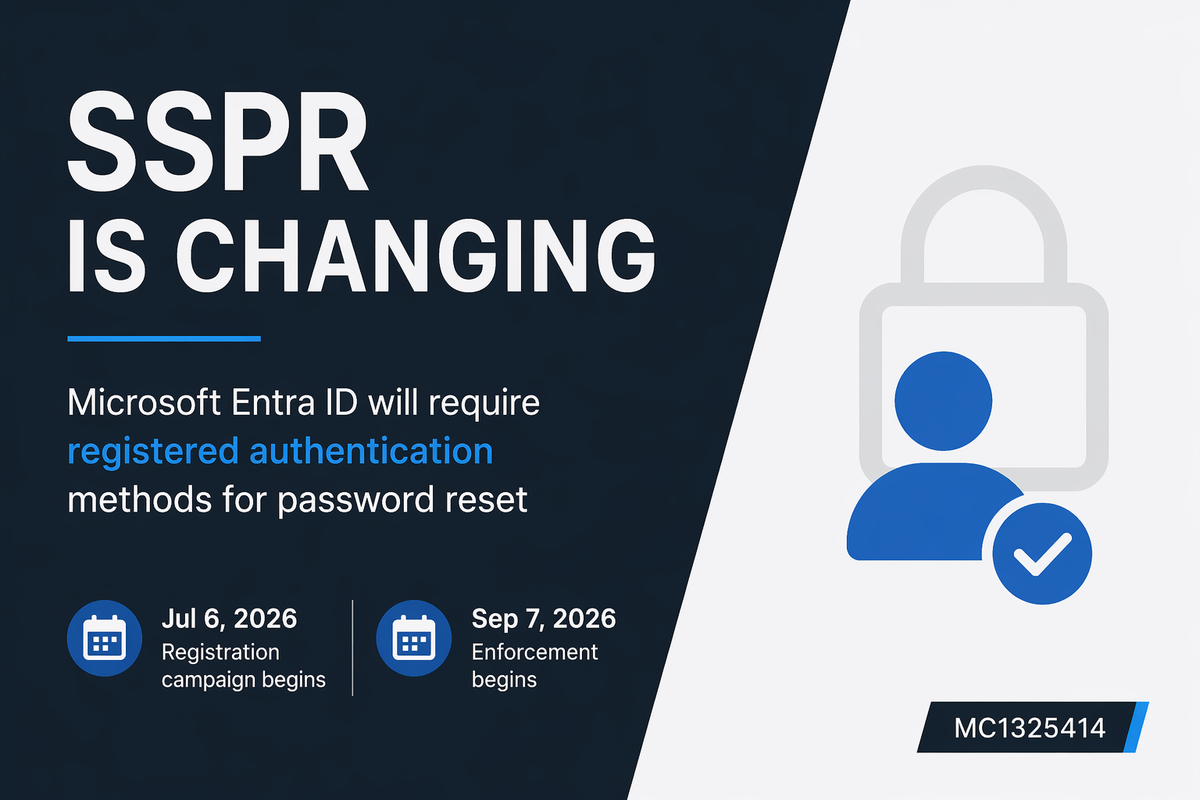
Message Center advisory MC1325414 covers a change that is easy to miss but has a real impact on end users: starting September 7, 2026, Entra ID SSPR will only accept explicitly registered authentication methods for password reset verification. Directory attributes; mobilePhone, businessPhone, and otherMails will no longer be valid unless they have been registered as authentication methods by the user.
The data itself is not going anywhere. Those attributes stay on the user object and keep syncing from on-premises AD if that is your setup. SSPR just stops looking at them.
The reason behind it is straightforward. Directory attributes can be written by HR systems, automation workflows, or delegated admin processes without any involvement from the user. That makes them a weak basis for verifying identity during a password reset. Requiring explicit registration ties the method to a explicit user action.
Timeline
On July 6, 2026, Microsoft automatically launches an SSPR registration campaign. Users without registered methods will be prompted after sign-in, no admin configuration required.
On September 7, 2026, enforcement kicks in. Directory attributes are no longer accepted for SSPR verification regardless of what is stored on the user object.
Waiting for the automatic campaign to run is not a great plan if you have a large tenant or users with low sign-in frequency. ;-)
The registration campaign requires no admin configuration to start. That said, waiting for it to run passively is not a great plan if you have a large tenant or users with low sign-in frequency.
Who gets affected
Any user or admin with SSPR enabled who has no explicitly registered authentication method. That includes frontline workers, shared accounts, and users who rarely sign in, exactly the group least likely to see the registration prompt before the deadline.
Microsoft states that around 86% of SSPR verifications already use registered methods. The remaining 14% who do not will be unable to self-serve a password reset after September 7.
What to do
Find affected users
Go to Entra Admin Center → Entra ID → Authentication methods → User registration details and ensure all users (including admins) have at least one registered authentication method that satisfies your SSPR policy.
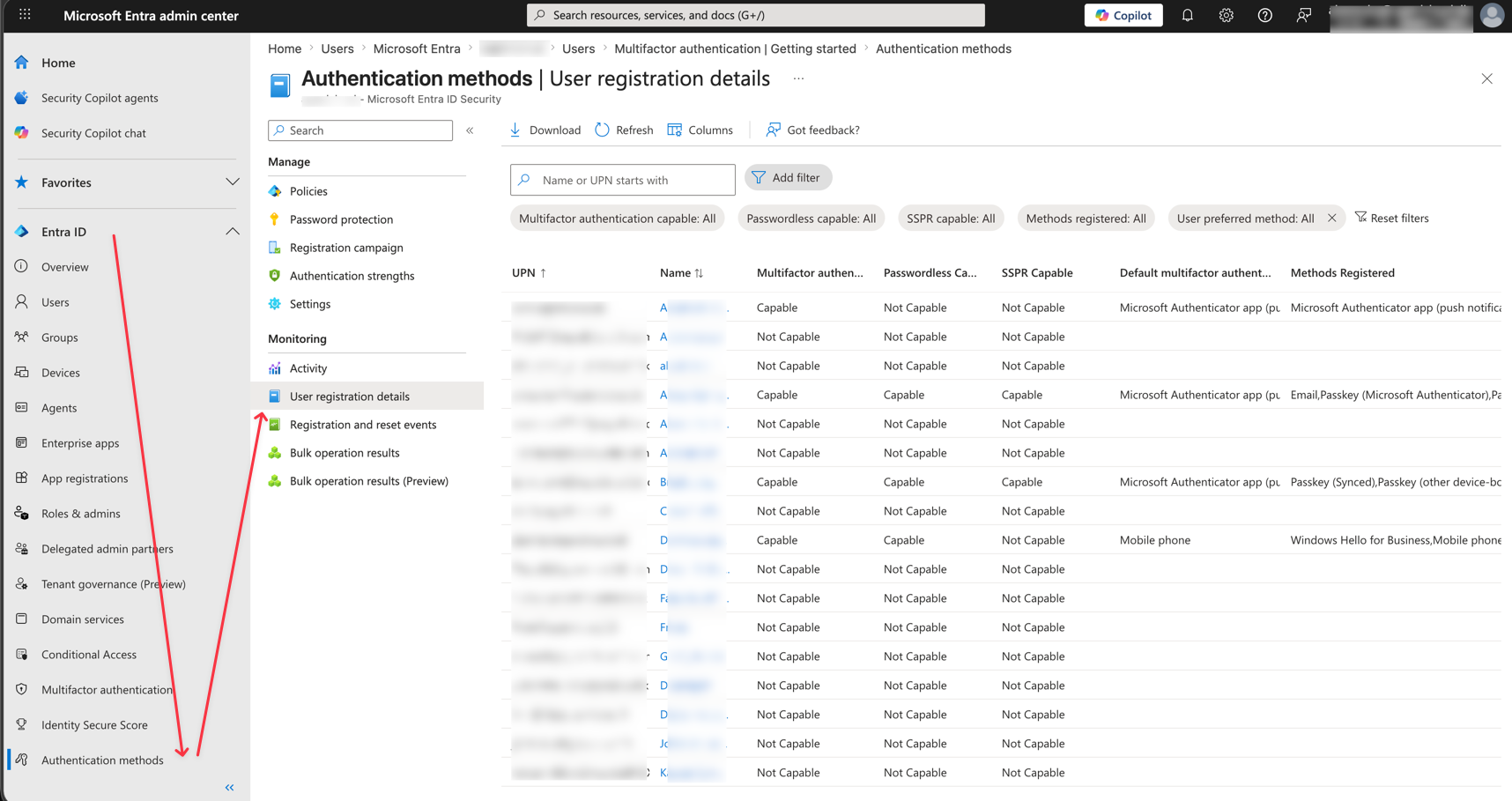
For bulk reporting, you can use the below
Install the required module and connect:
Install-Module Microsoft.Graph.Reports
Connect-MgGraph -Scopes "AuditLog.Read.All"
Export all SSPR-enabled users without a registered authentication method:
Get-MgReportAuthenticationMethodUserRegistrationDetail -All |
    Where-Object { $_.IsSsprEnabled -eq $true -and $_.IsSsprRegistered -eq $false } |
    Select-Object UserPrincipalName, DisplayName, IsSsprEnabled, IsSsprRegistered |
IsSsprEnabled:
the user is in scope for SSPR. The policy applies to them either because SSPR is enabled for all users or because they are a member of a group that has SSPR enabled.
IsSsprRegistered — the user has at least one authentication method explicitly registered that is compatible with SSPR. A phone number stored in directory attributes does not count toward this. Today, a user with IsSsprRegistered eq false can still reset their password because SSPR falls back to directory attributes like mobilePhone or otherMails for verification. After September 7, that fallback is gone, meaning IsSsprRegistered eq false becomes "cannot reset their own password at all".
Run your own registration campaign
You can launch a targeted campaign before Microsoft's automatic one starts. Go to Entra Admin Center → Authentication methods → Registration campaign, default choose is Passkeys as of this moment, as Microsoft Managed weights this method as strongest, If you want to setup Authenticator App, change State to Enabled and change Authentication Method to Authenticator App.
When State is set to Enabled, you can set a snooze limit aswell. At last Scope it to the affected group.
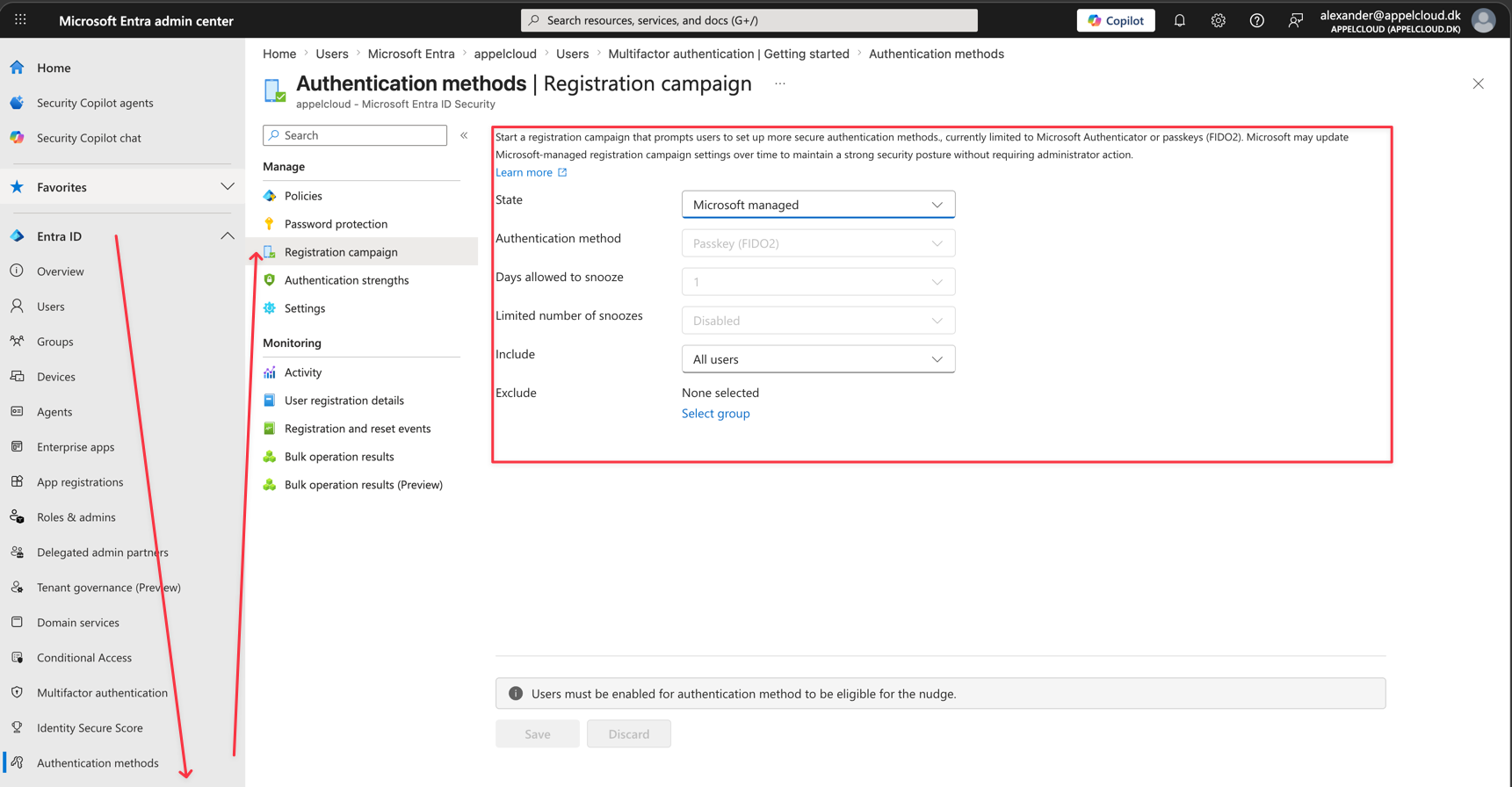
When a targeted user signs in, they will see an interrupt screen prompting them to register via Security Info. They can snooze it a configurable number of times before it becomes mandatory.
Plan a fallback for users who cannot self-register
Not everyone will complete registration before the deadline. Make sure your helpdesk knows the process: admin-assisted password reset and a guided registration session. Frontline workers without a smartphone will need an alternative method configured. hardware token or email OTP depending on your licensing.