AI agents are starting to do a lot more than just answer questions. With MCP an AI agent can connect to external tools, query databases, access files and call APIs.
That’s where things get interesting from a security perspective.
If an AI agent can call a tool, we also need a way to control which tools it can call and where it’s allowed to connect.
Microsoft has now released Global Secure Access MCP Firewall in Public Preview, bringing that control into GSA.
What can we control with MCP Firewall?
Let’s say your company has an MCP server with several tools. Some might simply read information, while others can make changes to production systems or access sensitive data.
An MCP server might expose several tools to an AI agent, but that doesn’t mean the agent needs access to all of them.
Take a Customer MCP Server as an example. The agent might need to read and search customer information, while tools that can update or delete customer data should be restricted.
Allowed: Read customer information, search customer records
Blocked: Update customer information, delete customer
This is where MCP Firewall becomes useful. You can keep the MCP server available while controlling exactly which tools the AI agent is allowed to use.
You can also use MCP Firewall to:
- Allow approved MCP servers and block unknown ones
- Block specific tools on otherwise trusted MCP servers
- Control access to MCP resources and prompt templates
- Get visibility into which MCP servers and tools are actually being used
That last one is important because MCP servers could easily become another version of Shadow IT.
What about prompt injection?
This is where I think MCP Firewall becomes particularly useful.
Imagine an AI agent has access to an MCP server containing a powerful administrative tool. A malicious prompt manages to convince the agent to call that tool.
The agent may think the request is legitimate, but that doesn’t mean the action has to reach the MCP server. I've generated a small AI flow that gives a better overview 😀
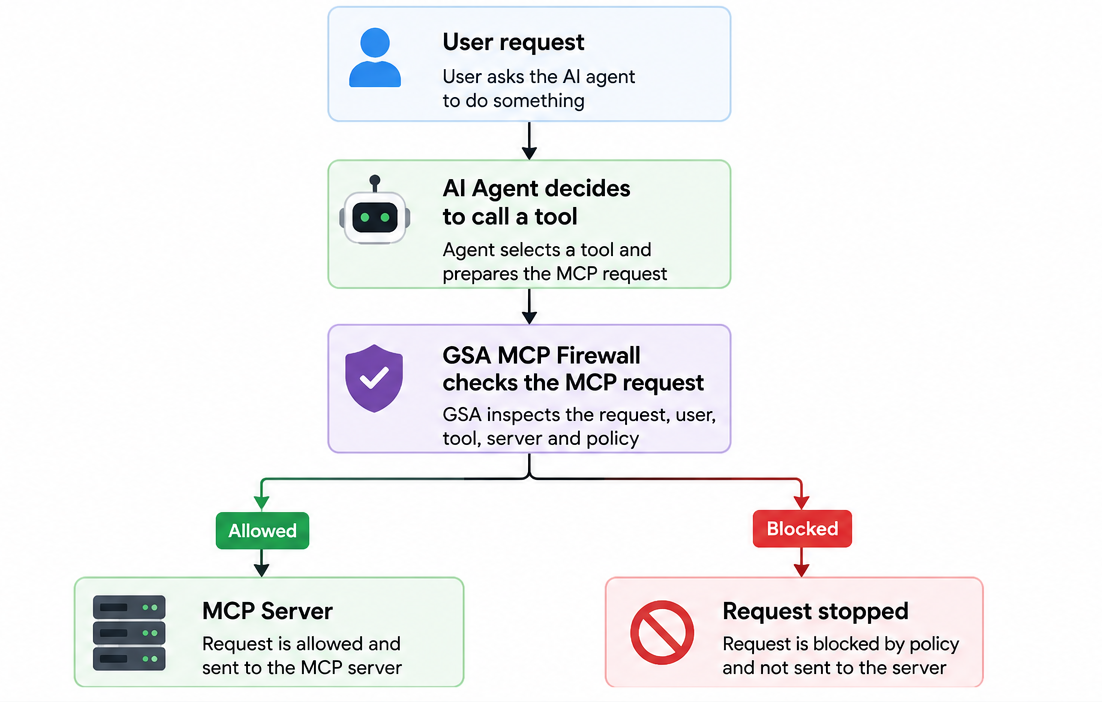
MCP Firewall isn’t trying to prevent the prompt injection itself. Instead, it gives you another security layer that can prevent a compromised or manipulated agent from turning that instruction into an actual MCP action.
Finding Shadow MCP
Before blocking anything, you probably want to know what’s already being used.
GSA’s Generative AI Insights provides visibility into MCP activity, including the MCP servers users are connecting to and the tools being exposed or invoked.
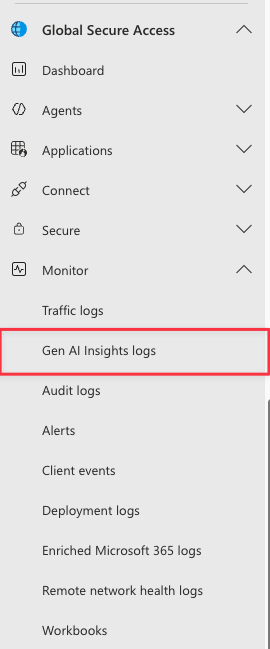
That gives IT teams a pretty simple way to approach MCP:

Start with visibility, figure out which MCP servers and tools you actually need, and then build your policies around that.
What do I need to test it?
For the current Public Preview, you’ll need:
- Microsoft Entra Internet Access licensing
- Microsoft Entra ID P1/P2 when using Conditional Access
- Global Secure Access Administrator for GSA configuration
- Conditional Access Administrator for Conditional Access
- Entra joined or hybrid joined Windows device
- Global Secure Access client
- Internet Access traffic forwarding
- TLS inspection enabled
TLS inspection is an important part of this. MCP normally runs inside HTTPS, so GSA needs to inspect the encrypted traffic to understand which MCP server, method or tool is actually being used.
The current preview focuses on remote MCP servers using supported HTTP-based transports. Local MCP servers and stdio-based MCP communication don’t travel through GSA and therefore aren’t covered.
More than just allowing access to AI
Until now, much of the AI security discussion has been about whether users should be allowed to access services such as ChatGPT, Copilot and other AI platforms.
MCP changes that a bit.
Now we also need to think about what an AI agent is allowed to do once we’ve given it access to our tools and data.
Being able to allow an MCP server while blocking individual tools gives IT teams a useful control point between the AI agent and the systems behind it.
And as AI agents start doing more on behalf of users, that’s probably a control we’re going to need.
Start testing MCP Firewall
If you want to start testing MCP Firewall, Microsoft has published a configuration guide that walks through the complete setup.
It covers creating the MCP policy, defining Allow and Block rules for servers and individual tools, linking the policy to a Global Secure Access Security Profile, and finally enforcing it through Conditional Access.
Microsoft also includes examples for blocking a specific tool while allowing the rest of the MCP server, as well as running a default-block setup where only approved MCP servers are allowed.
You can find the configuration guide here: Configure MCP Firewall