Multiple Traffic Forwarding Profiles for Private Access
The News?
Microsoft has dropped a really useful update for Microsoft Entra Private Access: support for multiple traffic forwarding profiles.
This means you can now create separate Private Access profiles instead of being stuck with one global on/off switch for everyone. You get proper segmentation across internal vs external users, different device groups, desktops vs mobiles, and so on.
You can tailor application sets per profile. For example, hand external contractors access to just a handful of specific private apps they actually need and only on certain device platforms. No more blanket access or clunky workarounds.
I've been waiting for this one for ages. Before, enabling Private Access was pretty much an all-or-nothing deal for a group of people. Now you can finally get granular: who gets what resources, on which devices. It's the kind of control that makes Zero Trust feel less like a buzzword and more like something practical.
How to setup a profile
- Browse to Entra Portal
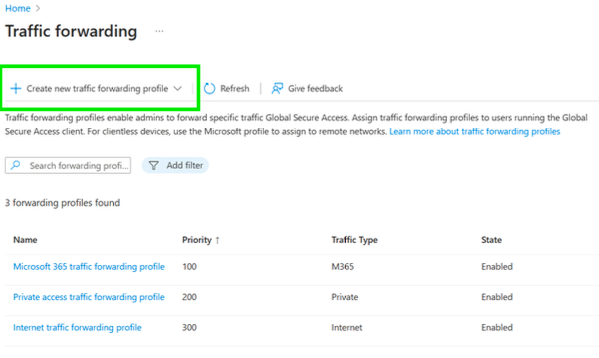
- Navigate to Global Secure Access -> Connect -> Traffic Forwarding
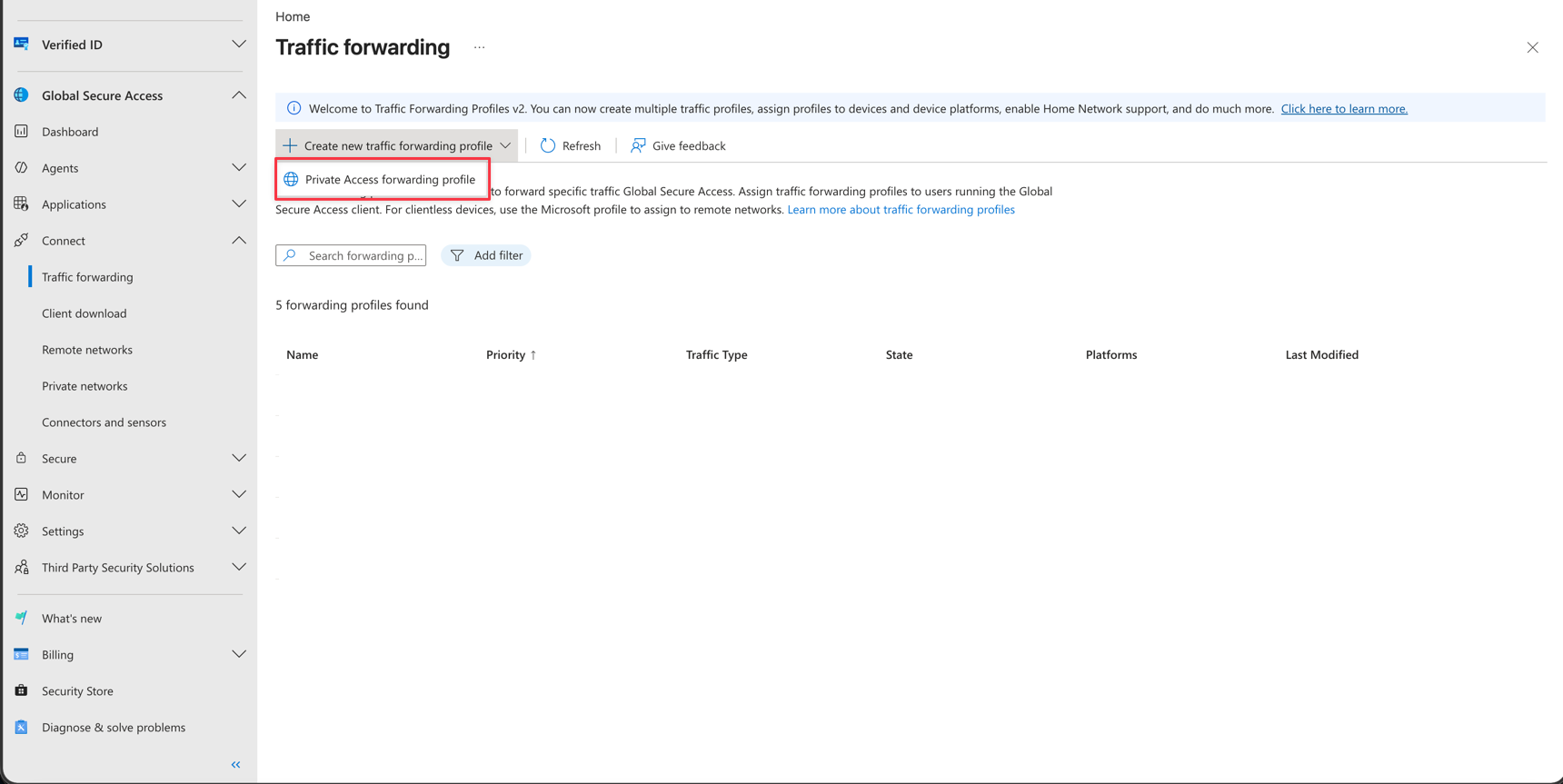
- Click on Create new traffic forwarding profile and Create a profile
- Give the rule Name and Priortiy
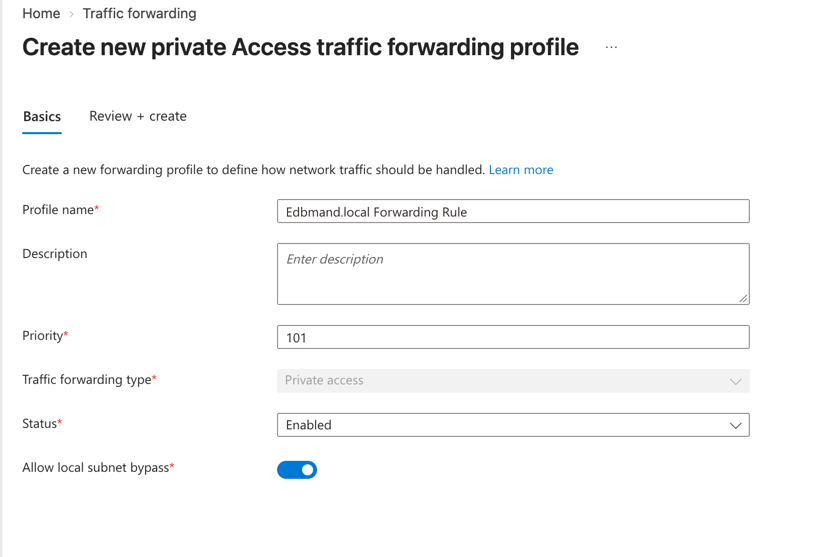
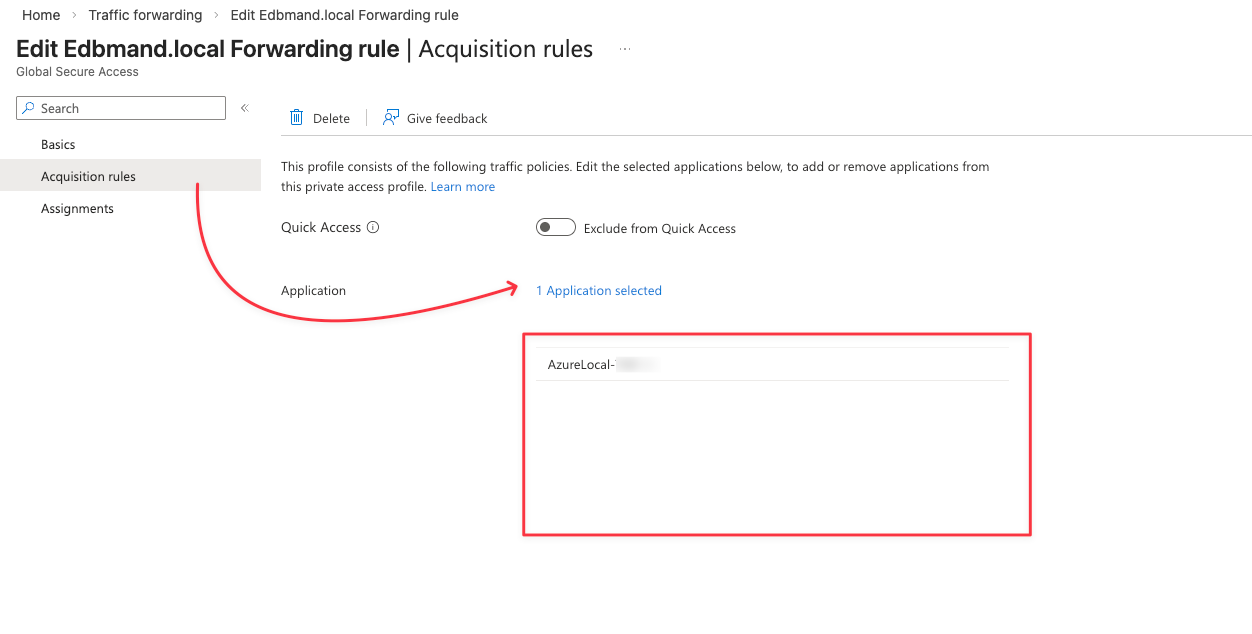
- Click on the empty rule and navigate to Acquisition rules. Add your Global Secure Access Applications which this profile should forward
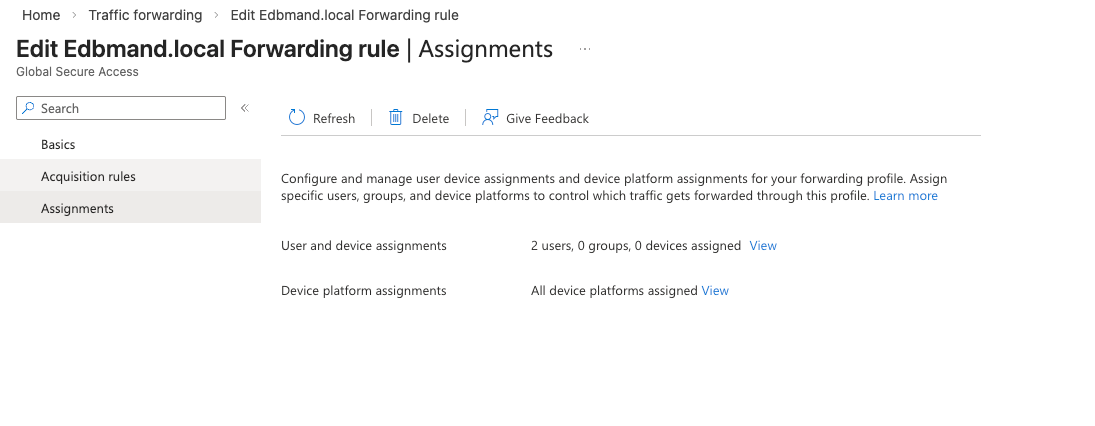
- Navigate to Assignments and assign users and/or devices. This can be devices only, internal users, group and/or External users (and B2B). Add a Device platform assignment if needed
Attach multiple profiles to an Application
Yes, it is totally possible to attach a single application to multiple different profiles. This is incredibly useful when different groups need access to the same resource but under different platform constraints.
- Browse to Entra Portal
- Navigate to Global Secure Access -> Applications -> Enterprise Application -> Select your Application
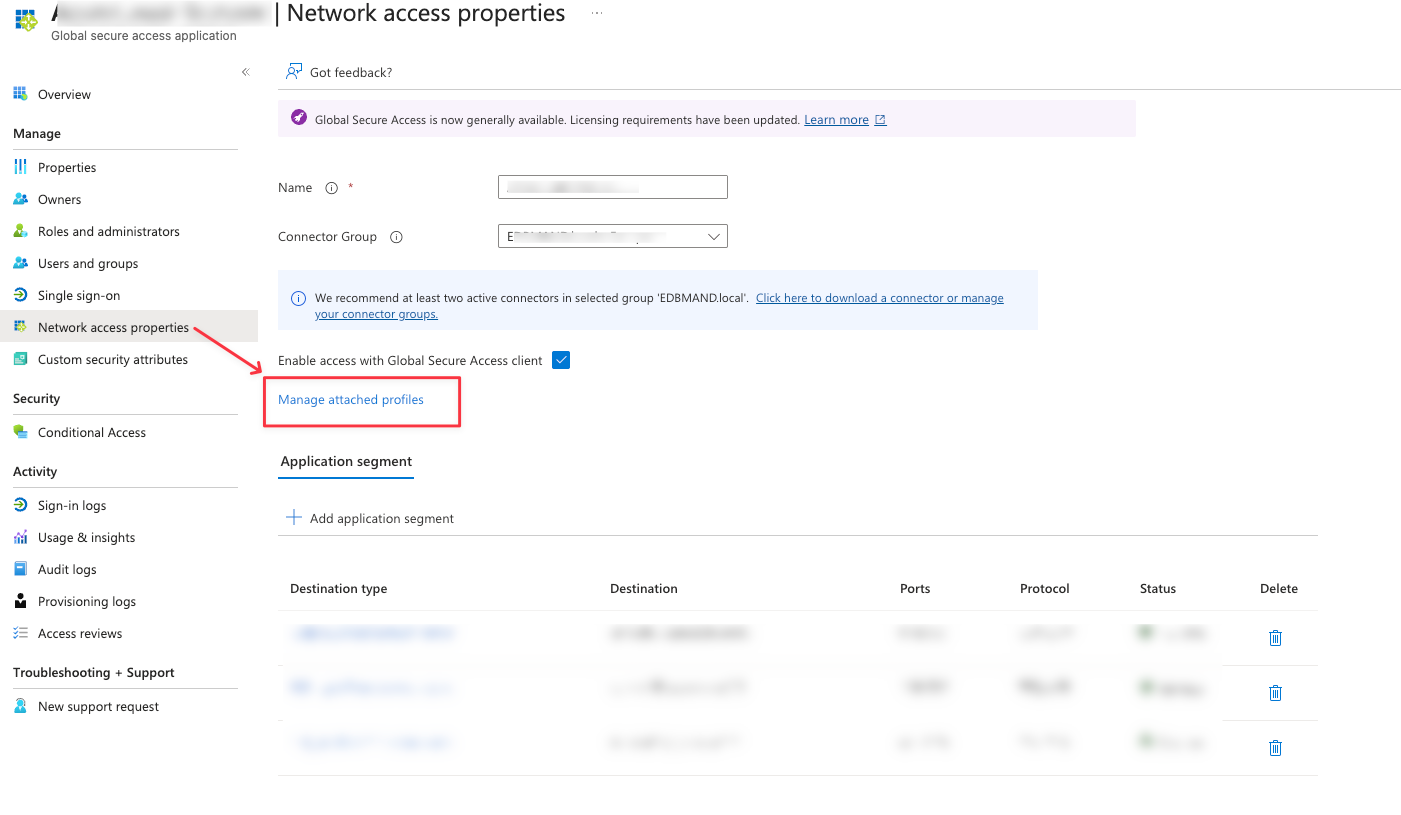
- Navigate to Network access properties
- Click Manage attached profiles and select your additional profiles
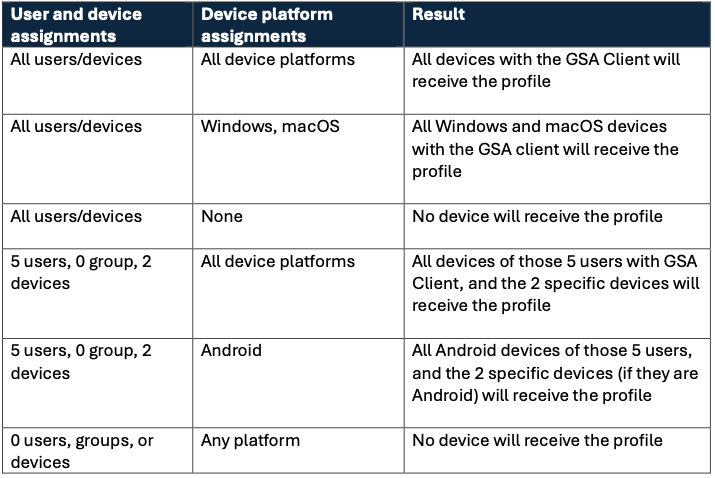
The Logic: How Assignment Filters Actually Work
To use this properly, you have to understand how the assignment filters are evaluated under the hood. It is simple but crucial.
The evaluation relies on AND logic between your User/Device assignments and your Device Platform assignments. Both conditions must be met for the profile to apply.